Protected infrastructure
Appropriate cable, conduit, molding, junction boxes, enclosures, labeling, weather protection, grounding, surge protection, backup power, and service access.

What to expect
Equipment is only one part of a successful system. Coverage, infrastructure, finish quality, configuration, testing, user access, training, documentation, and support determine what happens after installation day.
Seven coordinated stages
The exact sequence depends on the project. The signed proposal, approved changes, field conditions, manufacturer requirements, monitoring terms, permits, and jurisdictional requirements control the final work.
Review property conditions, existing equipment, coverage, access, pathways, network, power, storage, monitoring, privacy, and operating priorities.
Define equipment, device locations, infrastructure, integrations, retention, permissions, response, alternates, phasing, and documented assumptions.
Confirm site access, field conditions, pathways, mounting, equipment areas, coordination, approved scope, and material readiness before full mobilization.
Install supported wiring, conduit, molding, junction boxes, cameras, sensors, readers, intercoms, controls, racks, enclosures, power, and network equipment.
Configure names, users, schedules, views, recording, retention, notifications, analytics, permissions, integrations, and supported monitoring workflows.
Demonstrate daily operation, mobile and desktop access, playback, exports, arming, credentials, alerts, escalation, and service intake for authorized users.
Coordinate warranty support, preventive maintenance, health checks, corrections, updates, expansion, upgrades, and system documentation as needs change.
Field standards
Appropriate cable, conduit, molding, junction boxes, enclosures, labeling, weather protection, grounding, surge protection, backup power, and service access.
Representative live views, recording, playback, exports, focus, identification detail, night performance, sensors, doors, gates, audio, and alerts tested as applicable.
Named administrators, role-based users, strong account practices, mobile and desktop access, notification settings, credentials, and offboarding reviewed.
Supported equipment records, naming, configuration notes, retention expectations, training, warranty, monitoring contacts, service intake, and follow-up priorities organized.
Prepare for the assessment
Installation-to-handoff proof
The exact sequence is project-specific, but the outcome should include verified operation, controlled administration, trained users, and a clear record of what was delivered.
Confirm approved locations, pathways, mounting, power, network, access, and active-site constraints.
Coordinate work areas, occupants, equipment, safety, and property protection before installation.
Complete supported cable, pathway, enclosure, rack, power, network, grounding, and labeling work.
Install devices with serviceability, weather exposure, sightlines, finish quality, and manufacturer guidance in mind.
Apply names, recording, retention, users, schedules, alerts, analytics, integrations, and supported remote access.
Test representative cameras, zones, doors, gates, intercoms, playback, exports, notifications, and monitored events.
Resolve punch-list items and document any conditions, exceptions, dependencies, or future recommendations.
Review daily operation, administrators, users, evidence retrieval, contacts, support intake, and applicable records.
Maintain a service path for diagnostics, maintenance, repair, change control, expansion, and modernization.
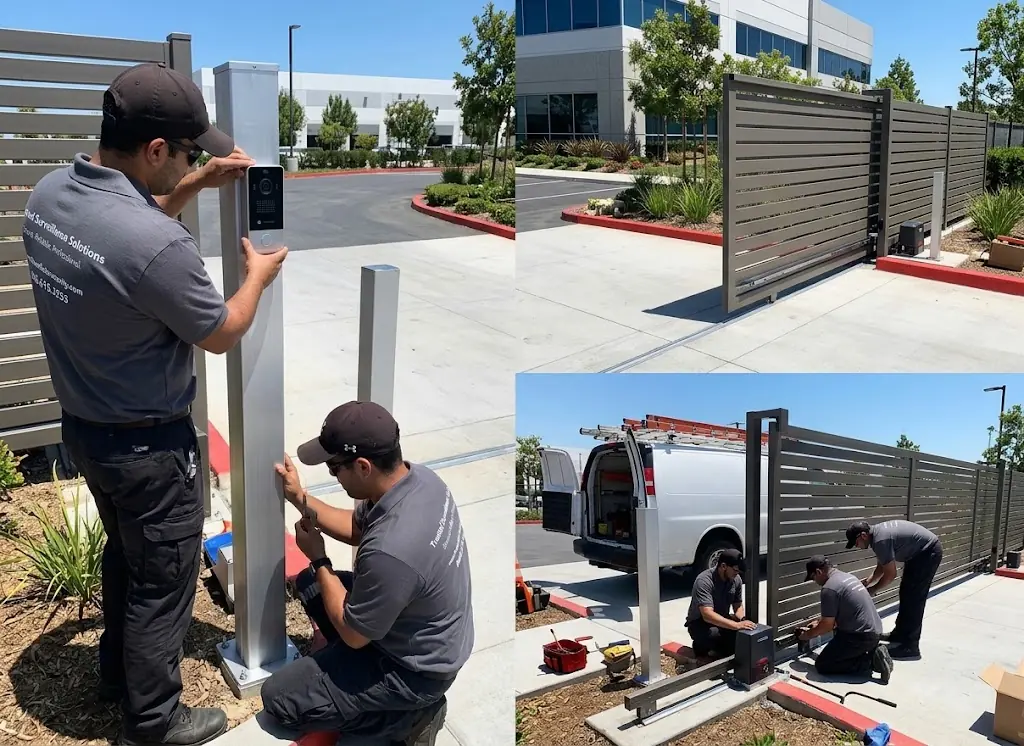
Authentic Three Factor Security field work
Clean mounting matters, but so do the pathways, network, configuration, documentation, and final verification that make the system dependable after handoff.
View more project experienceBegin with a professional assessment